


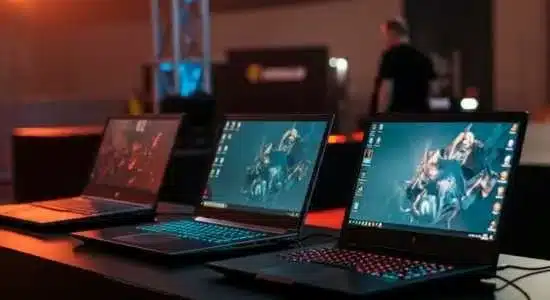
Selecting the appropriate laptops for the team can also improve the efficiency of operations in the organization. Buying the right business laptops can be a differentiating factor to performance and employee happiness in case you are equipping a small team or a whole enterprise.
12 Key Specs for Choosing Business Laptops
Processor (CPU):
The processor is a crucial part or the brain of any laptop. For business purposes, an Intel Core i5 or an AMD Ryzen 5 would be adequate when choosing a laptop. If the team members use bulky applications such as design or benchmark games, then a better option would be to go for devices with an Intel Core i7 or an i9 for improved bus speeds.
Processor (CPU):
It’s advisable to allocate a bare minimum of 8GB of RAM for daily operations, however, having 16GB or more would be perfect for teams whose work involves multitasking, loading bigger files and other complex tasks such as video editing or 3D modelling.
Storage:
One other thing that should be considered when looking for business laptops is the fact that SSDs are inescapable. Their read-write distance is simply high and hence they ought to be available. For starters, a 256GB SSD should be appropriate, but teams handling large files will want more like 512 or 1TB SSDs.
Battery Life:
Trip battery life tends to become a necessity for the teams which need to work while traveling. Hence search for laptops that can last up to 12 hours on a single charge to avoid disruption during meetings or when on the move.
Display:
For better productivity and comfort, select a 14 or 15.6 inches display with Full HD 1920×1080 resolution. If your team is in any way involved in designing, ensure to get a laptop with either 4K resolution or a touchscreen display.
Graphics Card:
If your team regularly uses graphic demanding programs, then choose laptops with dedicated graphics cards such as NVIDIA GeForce series or AMD Radeon series.
Port Selection:
Of central importance are the available ports that make the laptop you are about to purchase able to connect fast and easily without the use of Wi-Fi connection like USB-C, USB-A, HDMI ports as well as an Ethernet port.
Security Features:
Make sure to search for features such as a fingerprint reader, face reader or TPM chip to make sure all the data is encrypted.
Keyboard and Trackpad:
Productivity cannot be achieved without a good keyboard as it is one of the main tools a worker uses. For people working with laptops who often work in dark environments, consider a backlit laptop keyboard combined with a trackpad for easy use.
Weight:
Since most of the work is done outside, it is very important for the laptops to be portable. Hence choose laptops which weigh less than 4 pounds so it can be carried easily without compromising screen size.
Operating system:
Windows 10 Pro is around 90% of the time run by organizations due to its enhanced security and management attributes. However, mac OS or Linux could work for particular teams.
Durability:
Laptops must be selected depending on the ambient conditions under which they are going to be used. For rugged use, go for military-grade durability or shock and spill resistant ratings.
By keeping these specifications in mind, it is guaranteed that your team will have faucets to further stream its success. Whether it is a newly established business trying to buy laptops or an office aiming for re-planning, taking these features into account will help in improving your team’s efficiency.
When purchasing business laptops, it is essential to focus on specifications to determine its processor, RAM, storage, and battery so that the system performs optimally. Techno Edge Systems LLC has a variety of Hire Laptops Dubai that can be customized to your business needs to make it easier for budget-conscious businesses.
For rental information, visit www.laptoprentaluae.com or call +971-54-4653108 to inquire!